
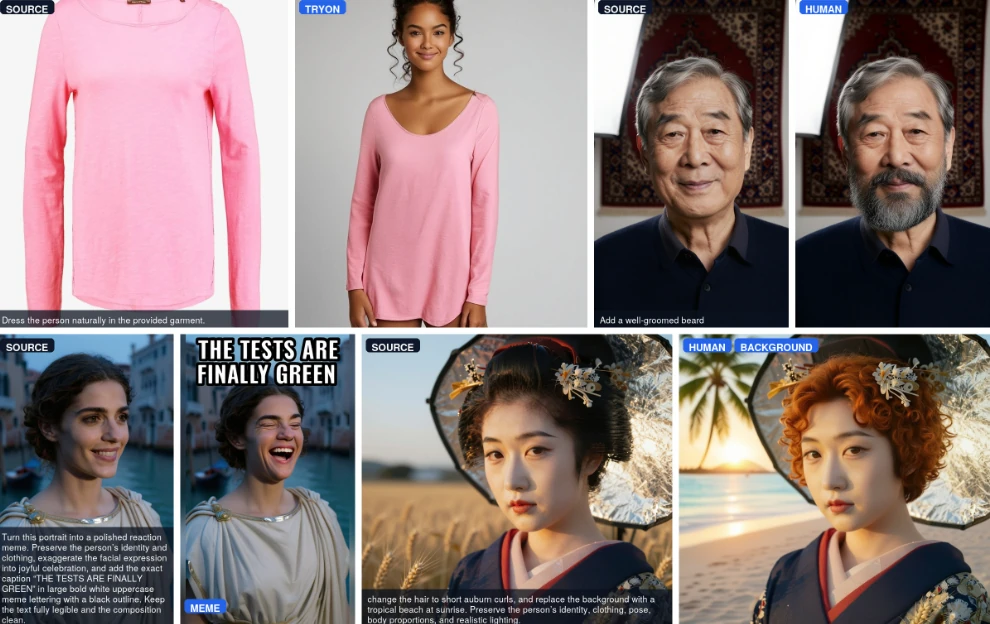
Mage-Flow, an open-source image generation model, now has packaged files for ComfyUI. That is useful for local creators because one model family handles both text-to-image work and instruction-based image editing.
Generate images and edit them with the same family
Mage-Flow is Microsoft's open-source image model family. You can start a poster or concept image from a prompt, then use its editing variant to change content, appearance, or a scene in an existing image. Check the result before delivery, especially brand names, prices, and small text.

The roughly 4 GB file is the core weight
The INT8 file mage_flow_int8_convrot.safetensors is about 4 GB. That is the quantized core diffusion weight, so it is easier to store locally. It is not the full runtime package: you also need the qwen3vl_4b_bf16.safetensors text encoder and the mage_flow_vae_bf16.safetensors VAE, plus room for workflows and outputs.
Turbo is built for quick iteration
Mage-Flow-Turbo runs in four steps. It is handy when you need to test layouts, replace copy, or compare styles quickly. A practical approach is to use Turbo to settle the direction, then decide whether a higher-step version is needed for final refinement.

Chinese text rendering still needs a final check
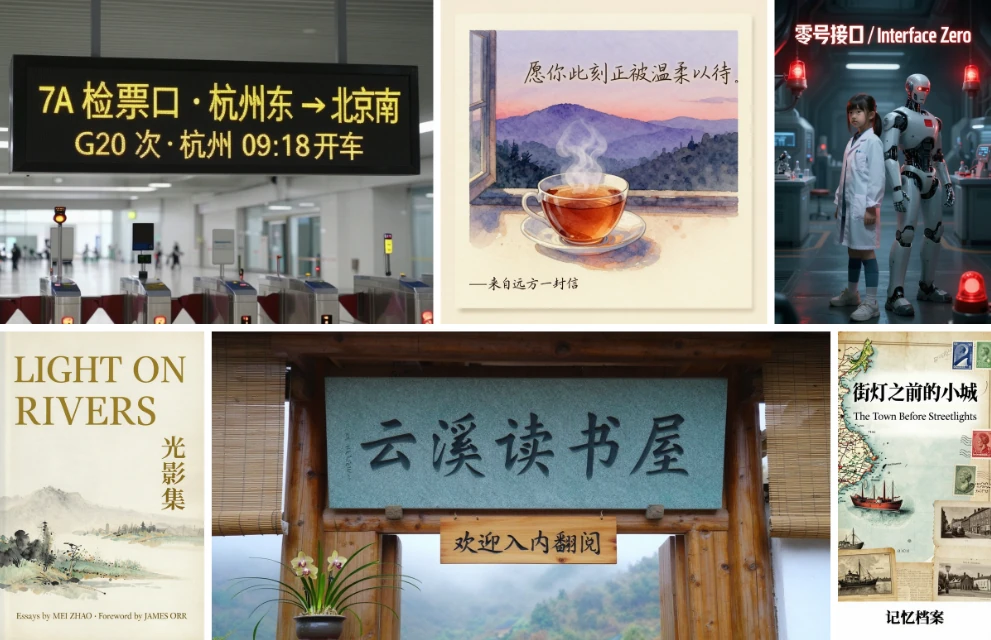
The official materials highlight legible Chinese and English text rendering. That makes it worth testing for covers, menus, and event posters with headlines. Generated lettering can still contain typos, missing characters, or awkward spacing, so important commercial copy should be typeset again in post-production.
Where the ComfyUI files go
- Update ComfyUI first so an older core does not block the model.
- Download the needed files from the Mage-Flow files packaged for ComfyUI.
- Put generation or editing weights in
ComfyUI/models/diffusion_models, putqwen3vl_4b_bf16.safetensorsinComfyUI/models/text_encoders, and putmage_flow_vae_bf16.safetensorsinComfyUI/models/vae. - Load a matching workflow and select the corresponding files. If the folders are wrong, ComfyUI will usually not list the model.

The original model page is https://modelscope.cn/models/microsoft/Mage-Flow/summary. Start with one small image to confirm the files, nodes, and available VRAM, then raise the resolution after the workflow is stable.


